


Imprivata ID
3.0234.00 Reviews
App Specs
- Version
- 2026.1.1.144
- Updated On
- License
- Free
- Downloads
- 500,000+
- Developer
- Imprivata, Inc
- Categories
- Medical
- Platform
- Android
Screenshots
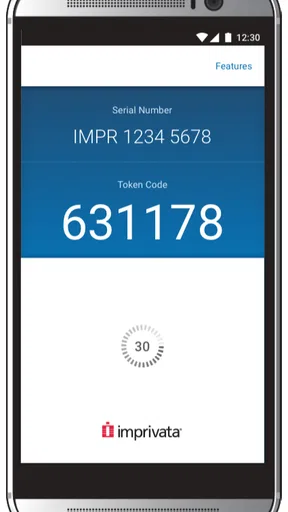
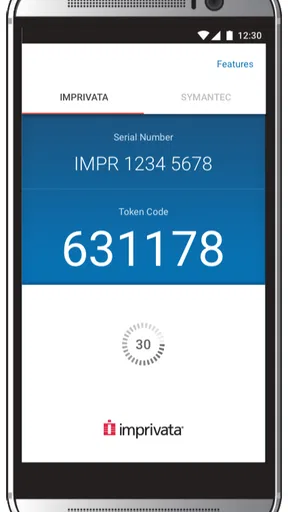
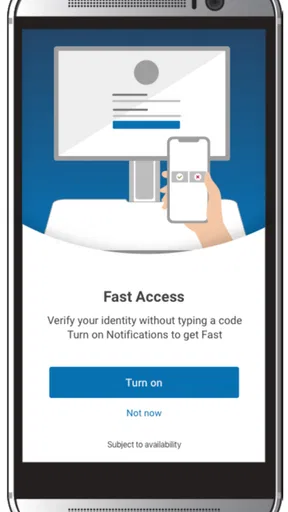
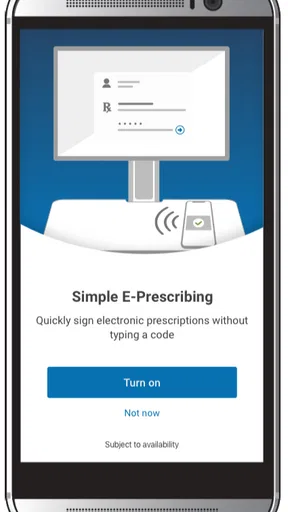
 Analysis by AppCompare
For a first-time user, the main thing to understand about Imprivata ID is that it is not a general-purpose password manager or a tool for browsing medical information. It is a free authentication app made by Imprivata, Inc. for clinical workflows: its job is to help medical professionals verify a login when an organization uses Imprivata services. That distinction matters. The app can make an approved sign-in easier, but it does not independently grant access to a hospital system or replace the account and permissions set up by an employer.
What to expect before you install
I would consider this app when my workplace has asked me to use it, rather than installing it in the hope that it will secure every account on my phone. The useful question to ask first is whether your employer’s sign-in process supports Imprivata ID and what enrollment instructions it provides. Authentication apps are only helpful when the service you need is configured to use them; downloading one on its own does not connect it to a work account.
That workplace connection also shapes who is likely to enjoy the app. A clinician or other medical professional who regularly signs in to supported systems may appreciate having an authentication step on a device already at hand. Someone looking for a personal authenticator for unrelated websites, a password vault, or a way to access clinical records without an authorized account should look elsewhere. The app is a small part of an organization’s access process, not a standalone gateway to medical systems.
Getting ready for your first sign-in
Setting up the app is a breeze. You download it from the App Store or Google Play, and within minutes, you're ready to roll. The interface is super intuitive, even for those of us who aren't tech wizards. It guides you step-by-step, so you won't be scratching your head in confusion.
Once installed, you simply register your device. The app generates a secure token that you can use alongside your password. It’s like having a digital key that only you possess. Honestly, it's a relief knowing there's this added security.
In practice, I would treat registration as part of your workplace’s enrollment process, not as something to guess your way through. Keep the instructions from your organization available, and make sure you are signing in with the account it has told you to use. If enrollment does not proceed as expected, check that you have the right work account and follow the organization’s support route rather than repeatedly attempting setup. That is a more useful first move than assuming the app itself can resolve an account or access problem.
Before relying on the phone for a shift, it is sensible to complete a test sign-in while you have time to deal with a snag. This is a practical habit, not a special feature: it lets you find out whether registration is complete and whether the authentication prompt arrives on the device you expect. A successful test also makes the later workflow feel less uncertain when you are busy.
Worth Reading Before You Choose

EA SPORTS FC Mobile 26 Is a Bigger Football Game, but It Takes Time

Flipboard Shows What News Apps Must Do Beyond the Feed

Switching to Android Auto Means Rethinking Your Driving Routine

Google Calendar Makes a Crowded Week Easier to Manage

Ludo King Makes the Most of the Minutes Between Plans

Baby Panda World Brings Quick Play to Modern Phones, but Its Game Library Feels Busy
Using authentication in a clinical workflow
I’d use this section to focus on the handoff between the work sign-in screen and the phone, since that is where a first attempt can feel unclear. My practical tip is to begin only when you have time to complete both steps, then confirm the work service actually opens after you respond. That small pause helps distinguish a finished login from an authentication approval that still needs follow-through.
What a successful approval looks like
For the first meaningful success, start a sign-in to a work service that your organization has configured for this method. Enter the requested account details in that service, then respond to the authentication request in Imprivata ID if it appears. The exact screens can depend on the system your workplace uses, but the practical goal is straightforward: confirm the sign-in you initiated, then return to the work service and check that it has completed.
That last check is worth making. An approval in an authentication app is not the same thing as seeing the destination system open, and a successful authentication does not necessarily mean every part of a separate application is working. If the request never arrives, or the work system still does not continue after you respond, pause and check the sign-in screen and your organization’s instructions. Avoid approving a request you did not initiate; an unexpected prompt is a reason to stop and follow your workplace’s security process.
A realistic use case is a clinician arriving for a shift and needing to sign in to a supported work system before beginning a task. Rather than treating the phone as another password notebook, the clinician uses it for the requested identity check, then returns to the system they were trying to access. The value is in fitting an extra verification step into an existing workflow, not in replacing that workflow or making every login disappear.
Features That Stand Out
- Push Notifications: No more fiddling with codes. You get a simple "approve" or "deny" notification, making logging in as quick as a swipe.
- Offline Access: Even when you're off the grid, you can still authenticate. Handy, right?
- Integration: Works seamlessly with other Imprivata products, creating a cohesive security ecosystem.
The push notifications feature is probably my favorite. It's the kind of convenience that makes you wonder how you ever lived without it. And the offline access? Perfect for those unpredictable moments when Wi-Fi decides to take a break.
There is a useful trade-off behind the quick approval flow. A notification can be less fiddly than switching between a login screen and a one-time code, but it still depends on recognizing the request and acting on it at the right time. If your phone is in another room, its battery is depleted, or you cannot check it during a task, the convenience is less meaningful. I would keep the device accessible during work sign-ins and avoid assuming that a notification will always be the fastest route in every situation.
The offline option is also worth understanding in context. It can help when connectivity is unavailable, but it does not mean that the system you are trying to reach is itself available offline. The practical question is whether the particular authentication flow you have been enrolled in supports the offline method you need. Try the procedure your workplace recommends before you depend on it in a low-connectivity situation, rather than discovering the distinction in the middle of a time-sensitive task.
Where it differs from a general authenticator
Compared with a typical consumer authenticator, Imprivata ID is more tied to a managed workplace environment. A general authenticator may suit someone who wants to secure a mix of personal online accounts, while this app makes more sense when an employer’s supported sign-in process calls for it. The choice is not simply which app has more options: it is whether the service you need recognizes the app and whether your organization has enrolled your device.
It also differs from saving passwords in a browser or password manager. Those tools help store and fill credentials; an authentication app is used for an additional identity check when a service requests one. They can serve different roles, and one does not automatically replace the other. In a clinical setting, that separation can be helpful: the app is focused on confirming a login rather than becoming a repository for passwords or patient details.
Security, trust, and everyday friction
The security aspect is top-notch. With increasing data breaches, having an app like this feels like a must-have. It’s not just about compliance; it's about peace of mind. And it manages to deliver this without complicating the user experience. Kudos to the developers!
Moreover, the integration with other Imprivata products means you’re not just getting a standalone solution. It’s an entire suite designed to keep your digital environment secure and efficient. If you’re already using other Imprivata tools, adding this to your arsenal is a no-brainer.
I would still separate the value of an authentication step from a blanket promise of security. It can help verify a sign-in, but safe use also depends on protecting the phone, noticing unexpected requests, and following your organization’s rules. A quick approval should be reserved for a login you started. If a request appears when you are not trying to access a work service, do not treat the ease of tapping as a reason to accept it.
There can be friction when the phone is unavailable or enrollment does not match the account you are using. That is not unique to this app, but it matters more in a work setting where access may be time-sensitive. I would learn who to contact for account or device help before a busy shift, and keep any workplace-approved alternative process in mind. The app is most convenient when it is one well-understood part of a broader access plan.
Who should use it, and who should skip it
Imprivata ID is a sensible choice for medical professionals whose organization specifically uses it for authentication, especially if they value approving a request on their phone instead of manually handling a code. It may also suit staff who use other Imprivata products and want a consistent part of that environment. The app is free, has an Everyone content rating, and is listed for devices running Android 6.0 or later; those details make installation straightforward for compatible users, but workplace enrollment remains the deciding factor for whether it will be useful.
I would skip it as a first choice if you need one authenticator for a wide range of personal accounts and have no workplace relying on Imprivata. A consumer-focused authenticator or password manager may fit that need better. I would also avoid expecting it to solve forgotten credentials, grant permissions you have not been given, or provide access to a work system that your employer has not configured for this method.
Its average rating is 3.0 from around 500 ratings, with over 500,000 installs. I read that as a reason to set expectations realistically, not as a verdict on whether it will work in a particular hospital or workplace. Authentication apps can feel dependable when enrollment and sign-in are configured correctly, yet frustrating when a user’s account or organization setup is the actual obstacle. Your employer’s instructions and the result of a test login tell you more about your own situation than popularity alone.
Final Thoughts
So, is Imprivata ID worth it? If you value security and simplicity, absolutely. It's like having a bodyguard for your digital life, but without the hassle. The app streamlines the login process while ensuring that your data stays under lock and key.
Whether you're deep in the healthcare trenches or just someone who appreciates good security with minimal fuss, this app is a game-changer. Give it a go, and you might just find it’s the ally you never knew you needed.
For me, the recommendation is strongest when it comes from a clear workplace need: your organization supports the app, you have the right enrollment details, and you can complete a test sign-in before relying on it. The current version is 2026.1.1.144, and the app was released on May 27, 2016; what matters day to day is whether that installed version is compatible with the authentication process your employer uses. If you already have a different approved method at work, ask before switching, since access procedures are usually managed by the organization rather than chosen app by app.
One small habit makes the experience easier: after you finish enrollment, remember where the approval request appears and how to return to the original sign-in. That reduces confusion when you are moving between a work screen and your phone. If you change devices or lose access to the one you registered, treat that as an account-support issue and follow your workplace’s recovery instructions instead of assuming a fresh installation will automatically restore access.
Ready to make your login process smoother and more secure? Download Imprivata ID and experience it for yourself. Trust me, you won’t regret it!
Pros
- Easy setup and integration.
- Secure two-factor authentication.
- Seamless user experience.
- Supports multiple devices.
- Fast identity verification.
Cons
- Limited offline functionality.
- Requires stable internet connection.
- Complex for non-tech users.
- No dark mode available.
- Occasional login delays.
FAQs for Imprivata ID
What is Imprivata ID and how does it work?
Imprivata ID is a multifactor authentication app used to enhance security by providing a second layer of verification. It works by generating a one-time passcode or sending a push notification to your mobile device. This ensures that only authorized users can access sensitive information, making it especially useful in healthcare and enterprise environments.
Is Imprivata ID compatible with both Android and iOS devices?
Yes, Imprivata ID is available for both Android and iOS platforms. Users can download the app from the Google Play Store for Android devices and the Apple App Store for iOS devices. This cross-platform compatibility ensures a wide range of users can benefit from its security features.
How secure is Imprivata ID for protecting sensitive information?
Imprivata ID is designed with robust security features to protect sensitive information. It employs multifactor authentication, which significantly reduces the risk of unauthorized access. The use of one-time passcodes and push notifications provides an additional layer of security beyond traditional password protection, making it a reliable choice for secure authentication.
Can Imprivata ID be used in industries other than healthcare?
While Imprivata ID is widely used in the healthcare sector due to its strong security measures and compliance with regulations, it is also suitable for other industries. Any organization requiring secure, multifactor authentication to protect sensitive data, such as finance or legal sectors, can benefit from its implementation.
What should I do if I encounter issues with Imprivata ID?
If you experience problems with Imprivata ID, it is recommended to first check for any app updates and ensure your device's operating system is current. If issues persist, consult the app's support documentation or contact Imprivata's customer support for assistance. They can provide detailed troubleshooting steps and technical support.


